
PlanShot
- Coming soon
- iOS
Turn a photo or screenshot of an event into a calendar entry.
Turn a photo or screenshot of an event into a calendar entry, and check the details before it’s added.
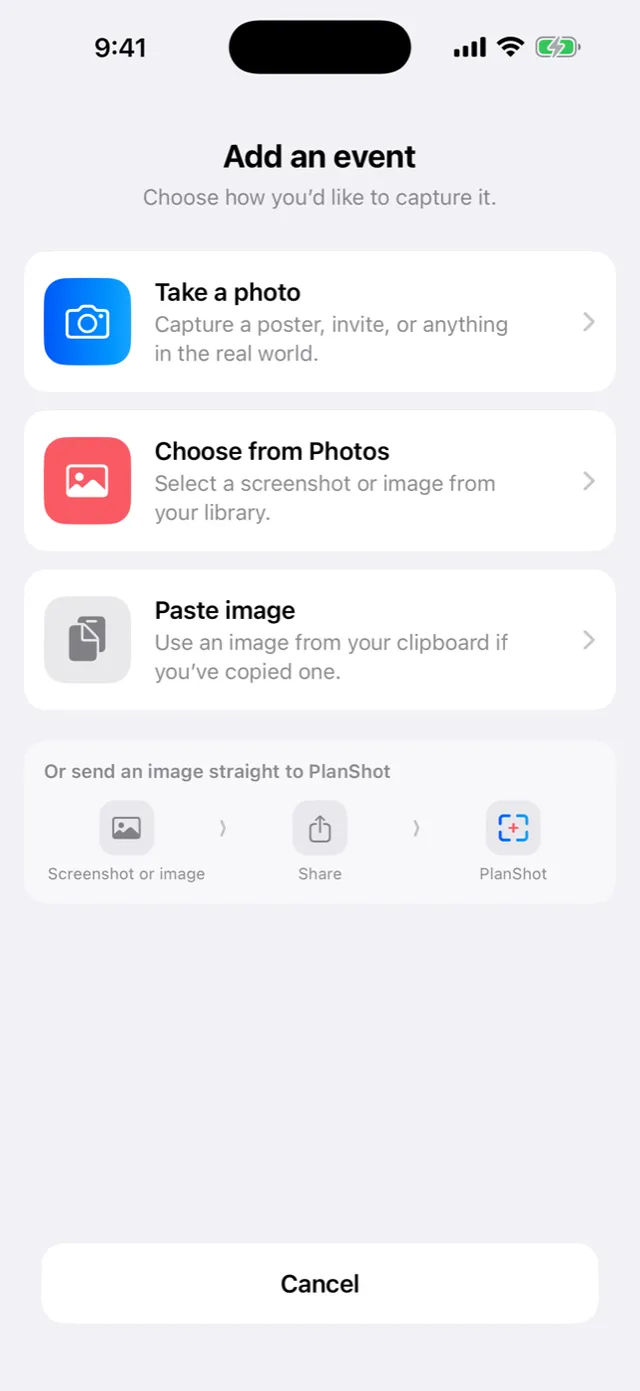
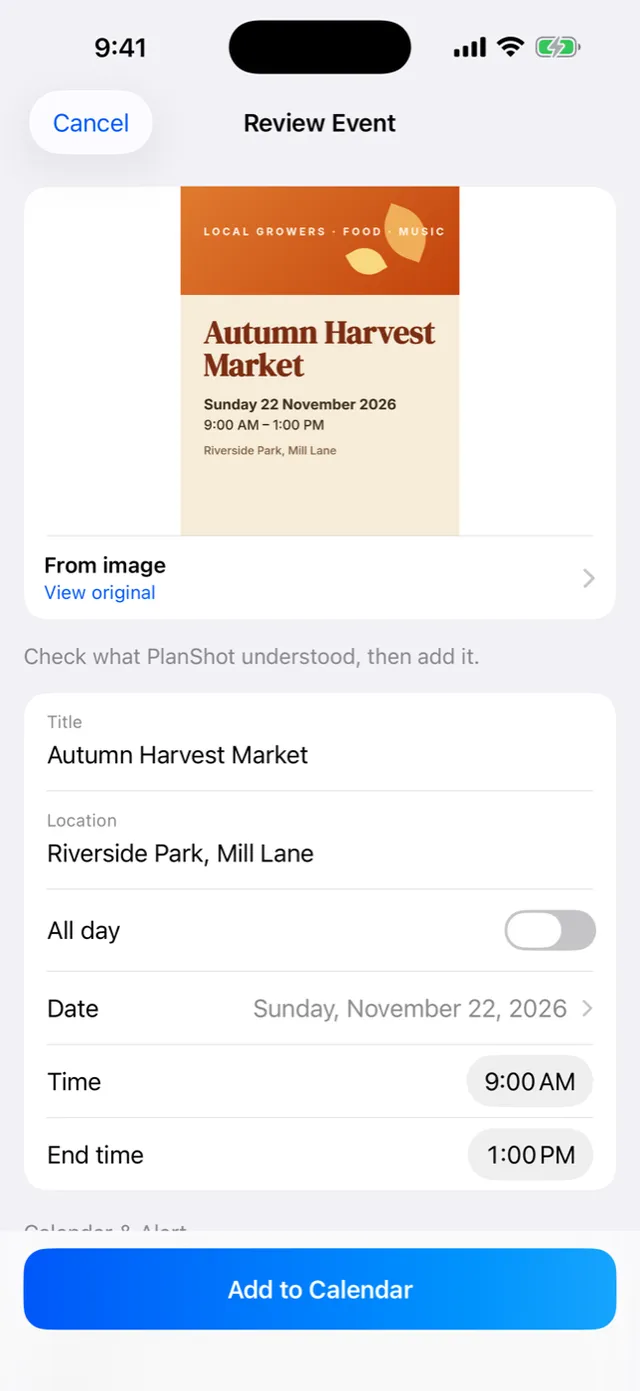
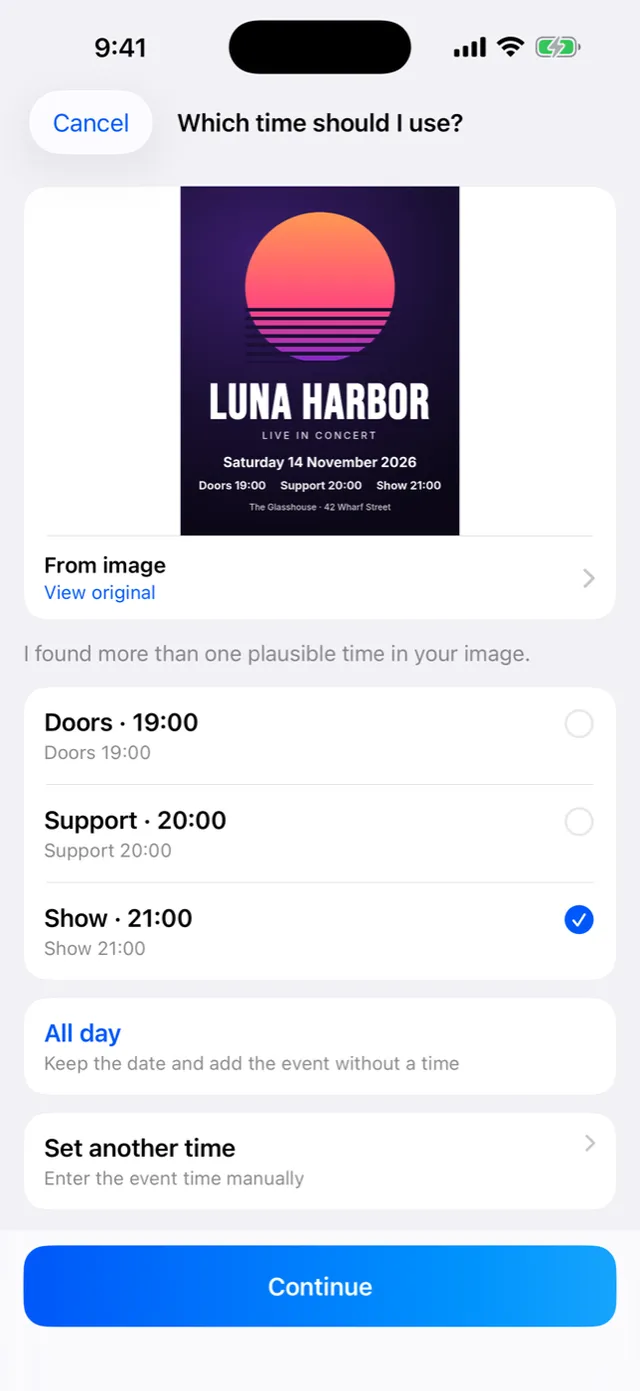
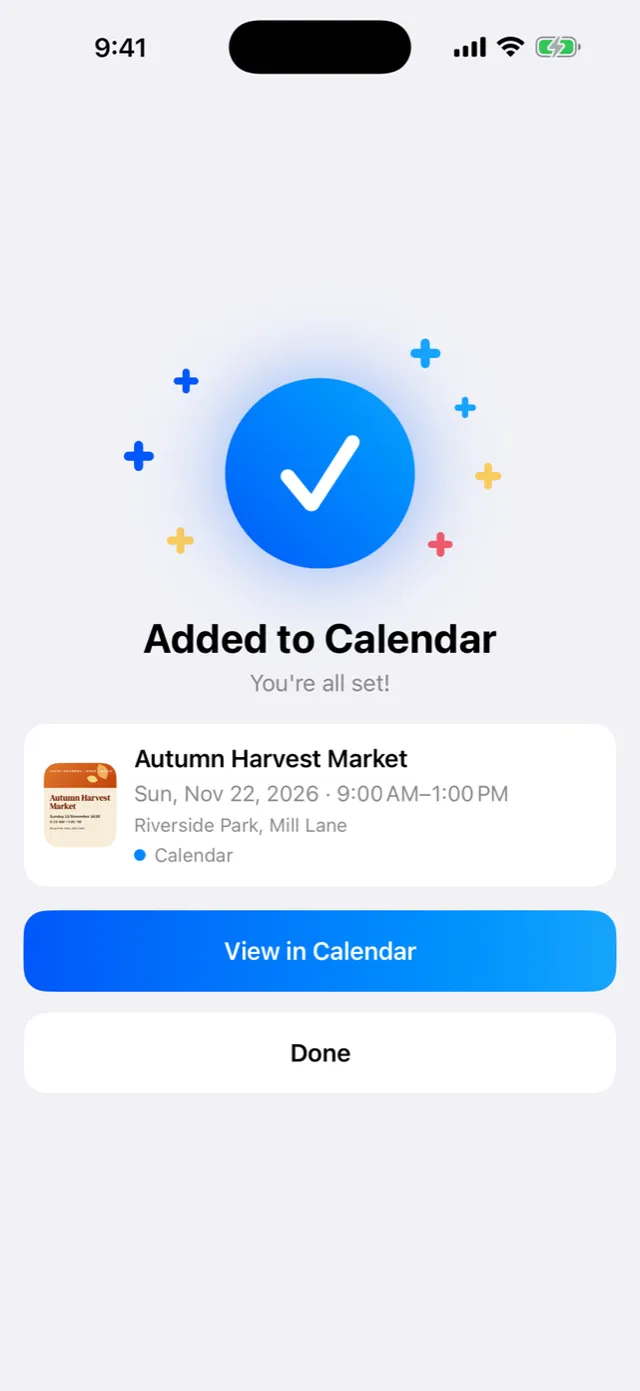
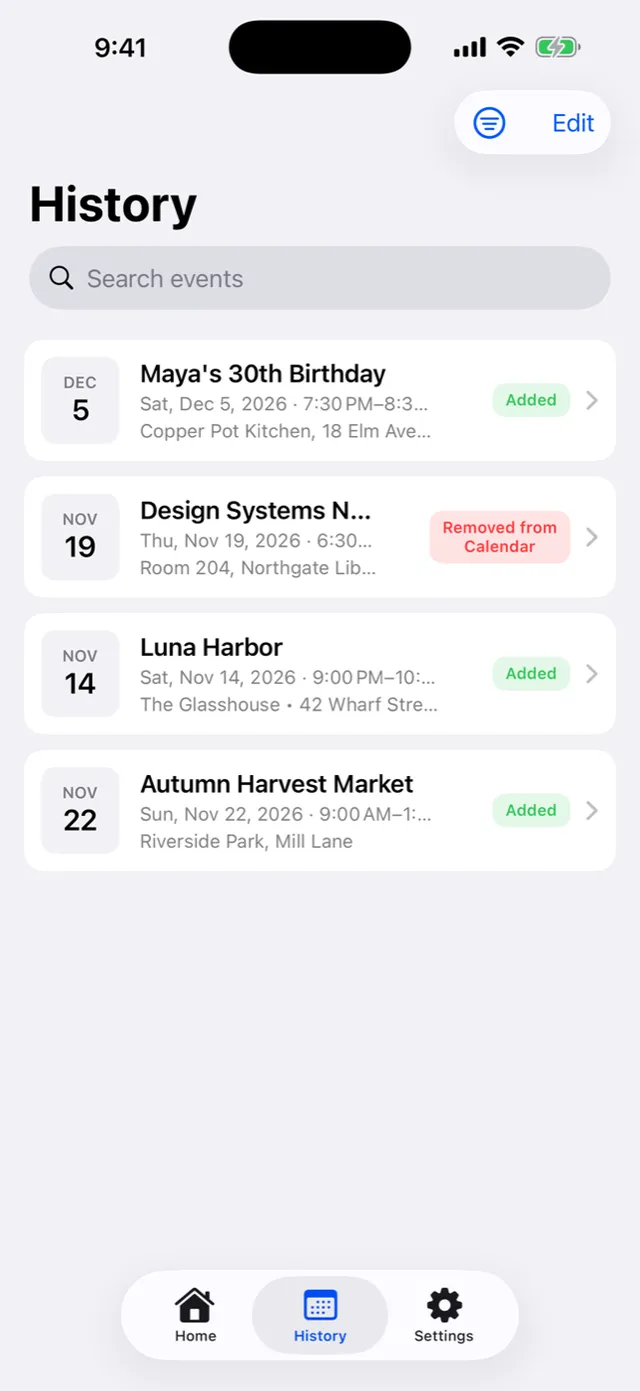
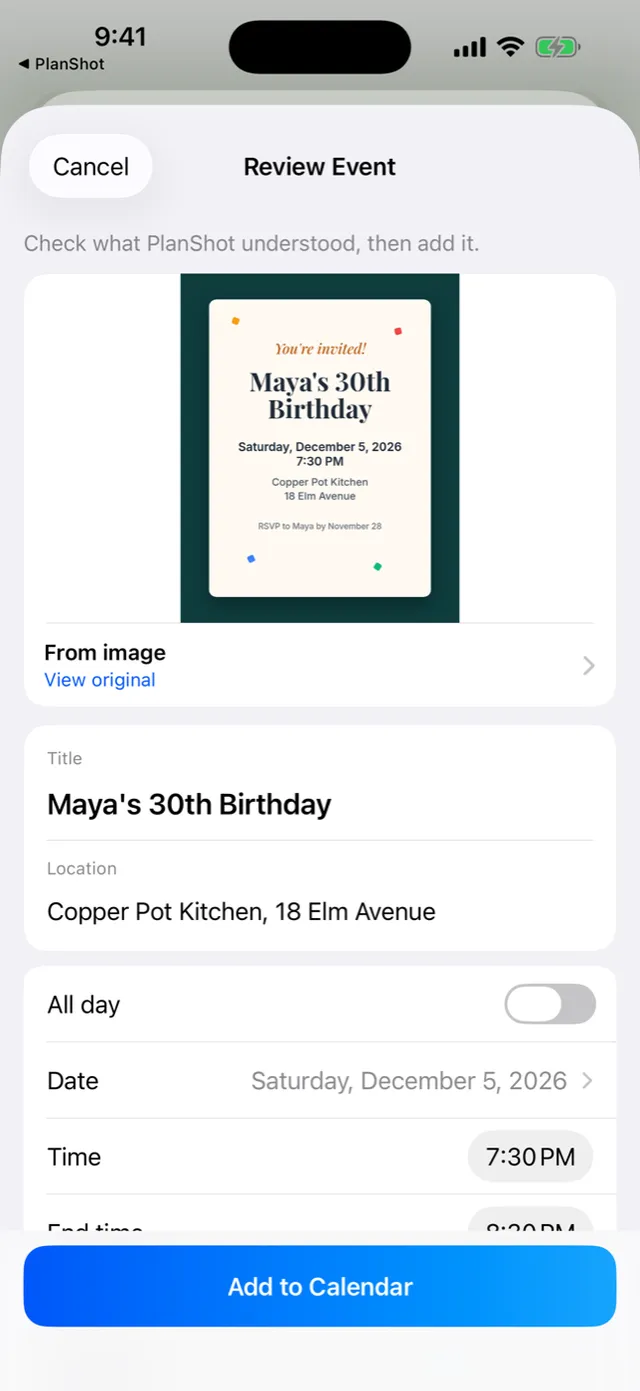
Screenshot 1 of 6
For the moment you see a plan on a poster, a flyer, an invite or a group-chat screenshot, and want it in your calendar without retyping a thing.
PlanShot reads the title, date, time and place, shows them next to the original image, and adds nothing until you’ve checked it.
Four ways in
Take a photo, pick from Photos, paste, or share from any app.
You confirm first
Nothing reaches your calendar until you’ve reviewed it.
Stays on your phone
Text recognition runs on the device. No account, no tracking.
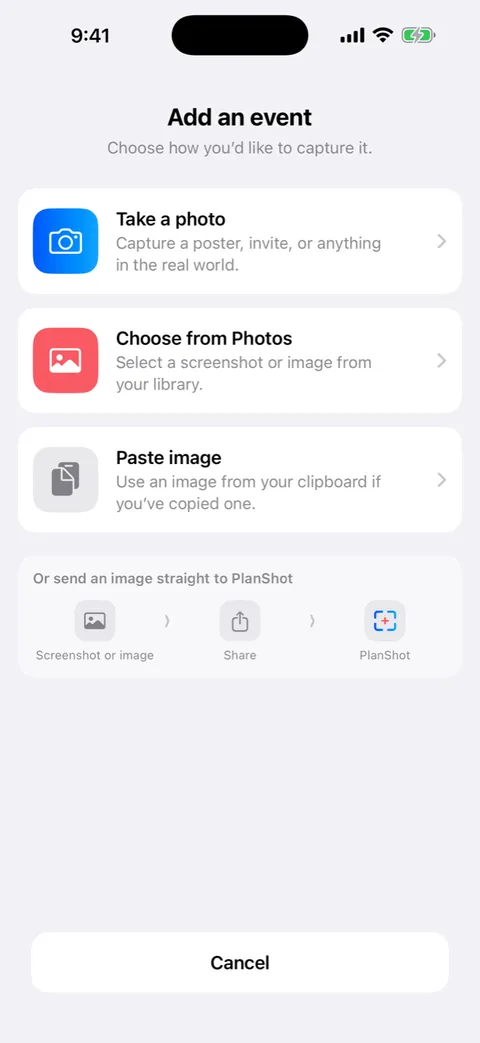
Capture it however it arrives
Camera, Photos, the clipboard, or the Share menu in any app.
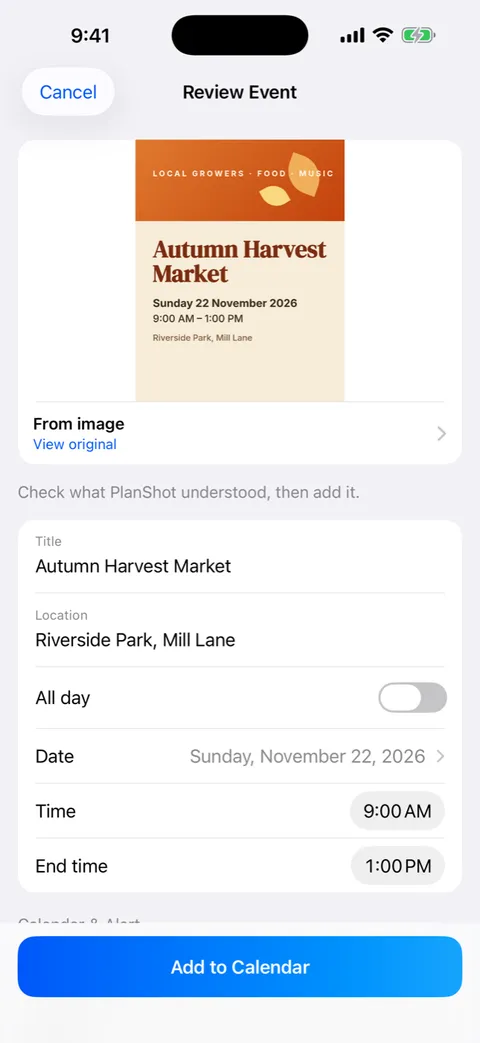
Review before adding
See what PlanShot understood next to the original image, and edit anything.
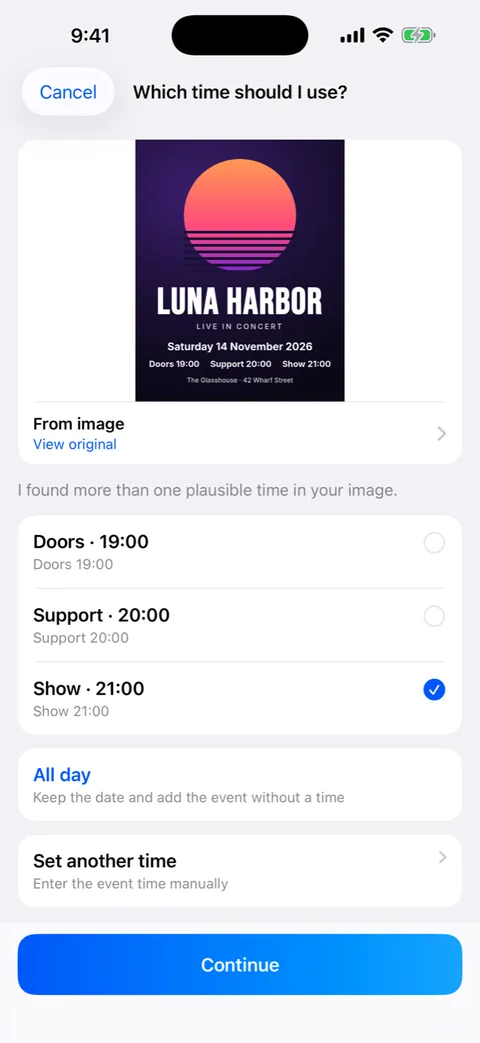
Asks instead of guessing
When an image holds more than one plausible time, date or place, you choose.
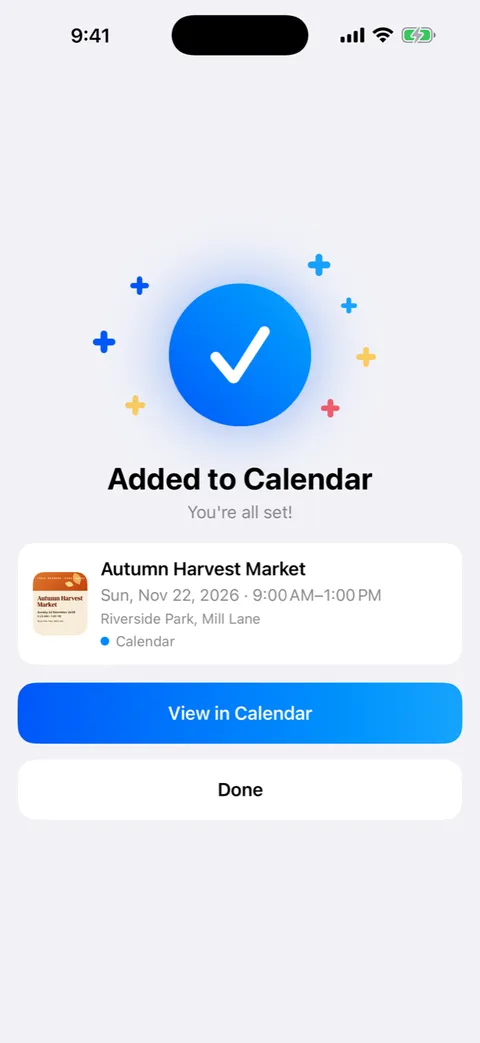
Your calendar, your alerts
Pick the calendar and alert for each event, or set defaults once.
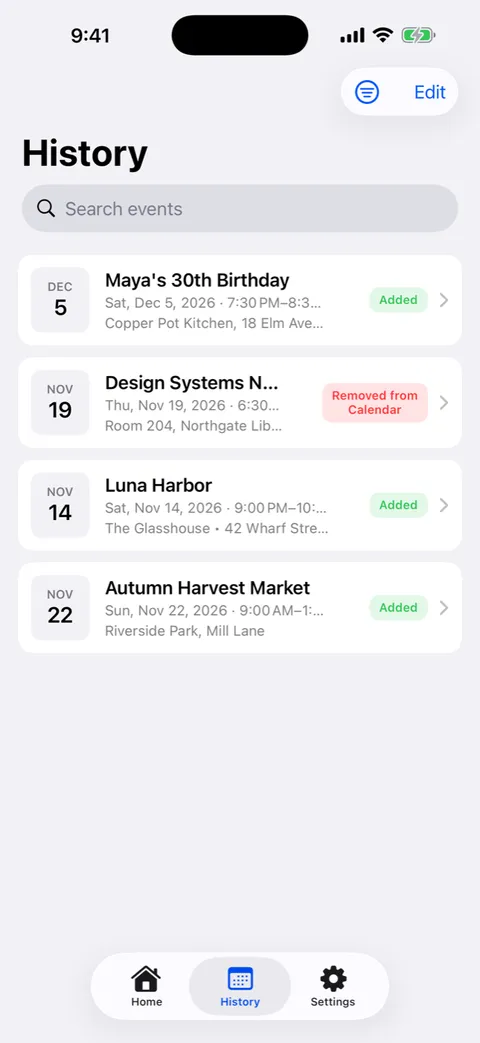
History you can trust
See what you’ve added, and whether an event was later changed or removed in Calendar.
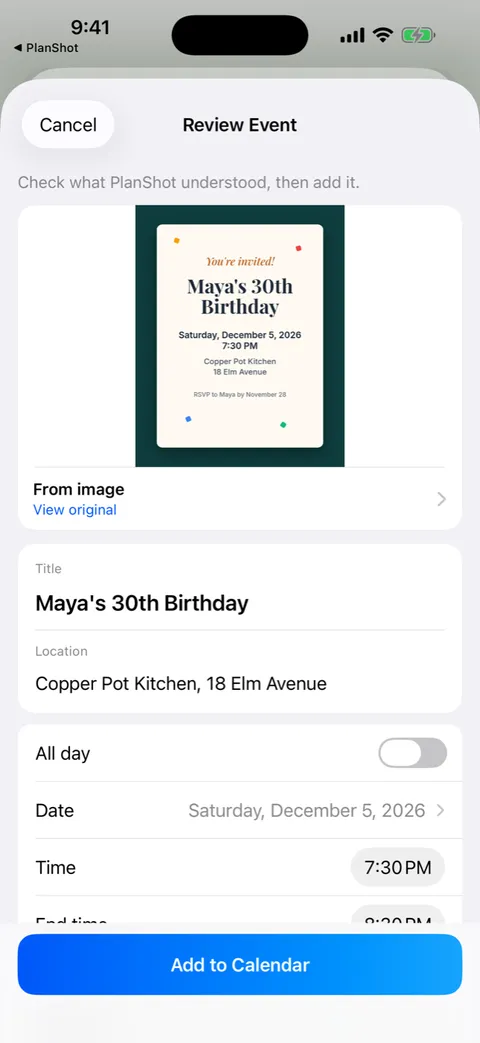
Straight from the Share menu
Send an invite from Messages or Safari and land right on the review screen.
Why I built it
Plans arrive as pictures: a poster on a wall, an invite in a group chat, a screenshot from a friend. Getting them into a calendar meant retyping every detail by hand. PlanShot is built for speed, confidence and recoverability: get the event in quickly, and be able to trust what was saved.
Decisions that shaped it
- 01
Missing beats invented
If the parser isn’t sure, it leaves a field empty or asks. No made-up details, and no confidence scores to decode.
- 02
No backend
No account, no cloud sync and no analytics. Everything happens on the device.
- 03
Reads back only its own events
It needs Calendar access to list your calendars, and only checks the events it added so History can show what changed.